
Compare 7 common cable tray types for industrial and VFD installations, with pros, cons, applications, and selection tips for plant engineers.
You're preparing a VFD retrofit during a planned shutdown. The replacement drive fits, the motor cables are on the cable schedule, and the existing overhead route looks reusable. Then the installation team reaches the cabinet approach: heavy shielded cables crowd the bend, encoder wiring shares the route, and removing a contaminated cover requires access above operating equipment.
That's the point where cable tray type becomes an installation decision, not a purchasing description. A route that looks adequate on a layout can still leave the maintenance team with unresolved heat, segregation, bonding, and access problems. For a retrofit like this, the useful outcome isn't getting cables into the new drive. It's leaving a route that technicians can inspect, clean, and modify without dismantling unrelated services.
The designs below address different parts of that problem. There's an important distinction: ladder, trough, basket, and solid-bottom describe cable-support geometry; cantilever describes a support arrangement; aluminum describes material. They aren't mutually exclusive options. An aluminum ladder on cantilever brackets, for example, combines several decisions that need separate engineering checks.
Table of Contents
- 1. Ladder Cable Tray
- 2. Ventilated Trough Cable Tray
- 3. Solid Bottom Cable Tray
- 4. Wire Mesh (Basket) Cable Tray
- 5. Channel (Strut) Cable Tray
- 6. Cantilever Cable Tray
- 7. Aluminum Cable Tray
- 7 Cable Tray Types Comparison Guide
- Matching Cable Tray Type to Your VFD Installation
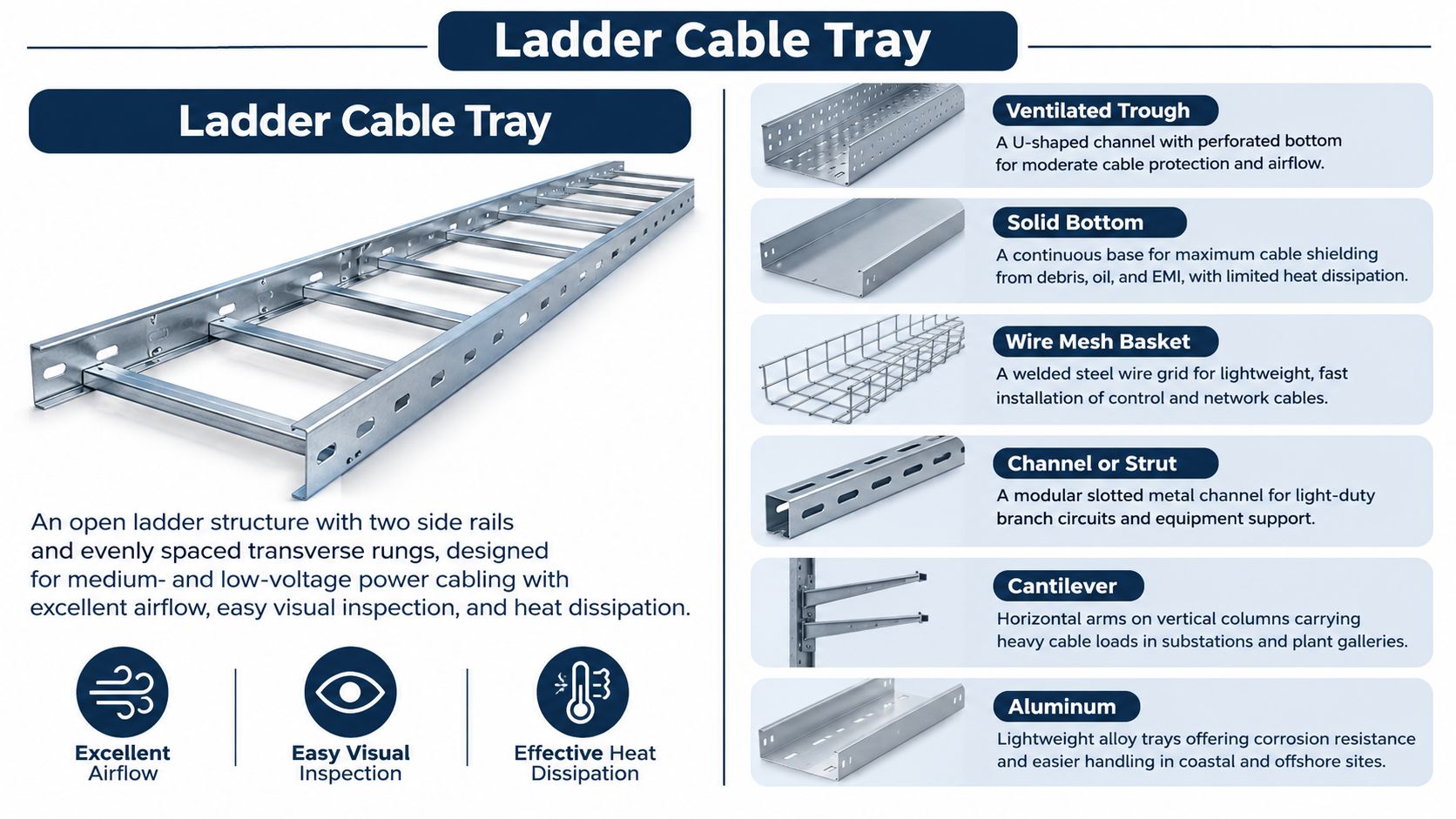
1. Ladder Cable Tray
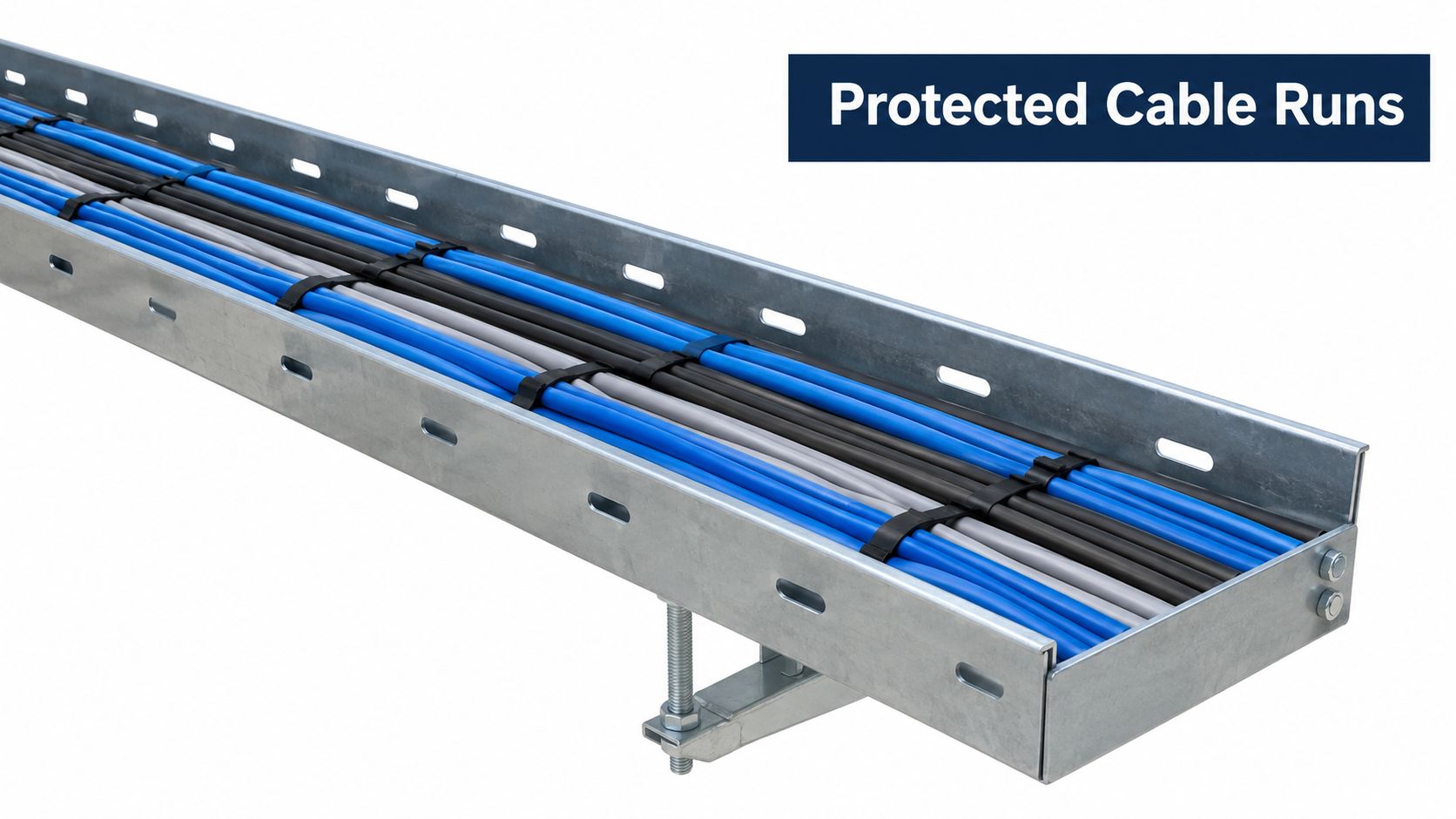
Ladder tray is a strong starting candidate for a VFD power route, particularly where cable access and heat dissipation matter. Side rails and transverse rungs leave the cable installation open rather than resting it on a continuous base.
Consider a proposed route from switchgear to a drive room in a steel plant. Ladder construction lets the installation team plan feeder placement, inspect cables, and approach equipment drops without enclosing the entire run. But openness also leaves cables exposed to process contamination, so an open route through a clean electrical room deserves a different specification from one near carbon-black handling.
Keep ventilation separate from capacity
Ventilation doesn't establish allowable cable loading. OSHA's cable-tray safety guidance reports a general planning recommendation of 40–50% of internal area, while emphasizing that allowable fill depends on construction, cable characteristics, ampacity requirements, and specified weight limits.
For a VFD retrofit, check both space and weight before approving reuse. Heavy motor cables can satisfy a geometric fill check while exceeding the tray's structural capacity.
- Separate services: Give VFD output cables a dedicated route where practical, rather than filling spare space beside instrumentation.
- Engineer transitions: Specify suitable cable restraints, bend arrangements, and supports at vertical drops.
- Control exposure: Add covers only where they serve a defined contamination or mechanical-protection need, then review access and thermal assumptions.
Practical rule: An open tray helps you inspect the installation. It doesn't excuse an overloaded route or unresolved cable segregation.
2. Ventilated Trough Cable Tray
An encoder replacement beside a bank of drive cabinets presents a different problem from a heavy feeder installation. The cables need an orderly route with suitable support, but enclosing everything in a solid system may be unnecessary. Ventilated trough is worth considering for that control-side work.
Its perforated or slotted base provides more continuous support than ladder rungs while retaining openings. In a proposed chemical-plant retrofit, a trough could carry instrumentation or drive communications alongside the cabinet lineup, with the motor-power route kept elsewhere.
The trap is treating the trough as a convenient mixed-services container. A divider is an engineering detail, not permission to place every cable family together.
Design segregation before buying dividers
The VFD routing and EMC design guidance emphasizes separation between power and signal cables, grounded barriers or separate trays, and low-impedance bonding. It also identifies guidance against placing VFD output leads in the same tray as signal wiring.
For an installation carrying Modbus or Profibus communications, make the route decision from the drive and cable documentation, not from the amount of unused trough space. Record how separation continues through crossings, cabinet entries, and equipment drops.
- Define compartments: Identify which services may share the assembly and where separate routes remain necessary.
- Plan cleaning access: Make perforations, covers, and cable labels accessible during shutdown work.
- Specify the complete finish: Review the tray, dividers, supports, and fasteners together for the actual atmosphere.
A covered ventilated trough still needs a thermal review. Don't specify openings for airflow and then assume a tightly covered, densely bundled installation behaves like an unobstructed route.
3. Solid Bottom Cable Tray
Choose solid-bottom tray for a defined protection requirement, not because enclosed-looking equipment feels safer. Its continuous base supports cables and limits exposure from below, but overhead contamination still requires an appropriate cover or another protective arrangement.
For a proposed control-room refurbishment, a separate solid-bottom route may suit DCS wiring and drive communications. Near washdown or chemical spray, however, the design question becomes more demanding: how will the complete assembly limit ingress, avoid retained contamination, and remain inspectable?
Don't confuse containment with EMC performance
The ventilation-versus-protection trade-off matters here. As noted in the routing guidance, solid-bottom construction can improve protection while changing heat-dissipation and ampacity assumptions. Treat any shielding objective as a complete-system requirement involving joints, covers, bonding, and cable terminations, not as a property guaranteed by the bottom plate.
At a drive feeding a high-voltage electric motor, keep the power-cable route and sensitive control route coordinated but separately justified. A protective control trough shouldn't become overflow space for a motor feeder.
- Resolve water management: Specify manufacturer-approved drainage or inspection provisions where condensation or liquid entry is credible.
- Preserve maintainability: Position removable covers where technicians can lift them during an outage.
- Verify bonding: Include joints, transitions, and removable components in the installation review.
A solid bottom can address an exposure problem. It can also conceal contamination from routine inspection if access is poorly planned.
Don't drill drainage holes as an improvised field fix. Obtain approval for modifications and document the final arrangement before handover.
4. Wire Mesh (Basket) Cable Tray
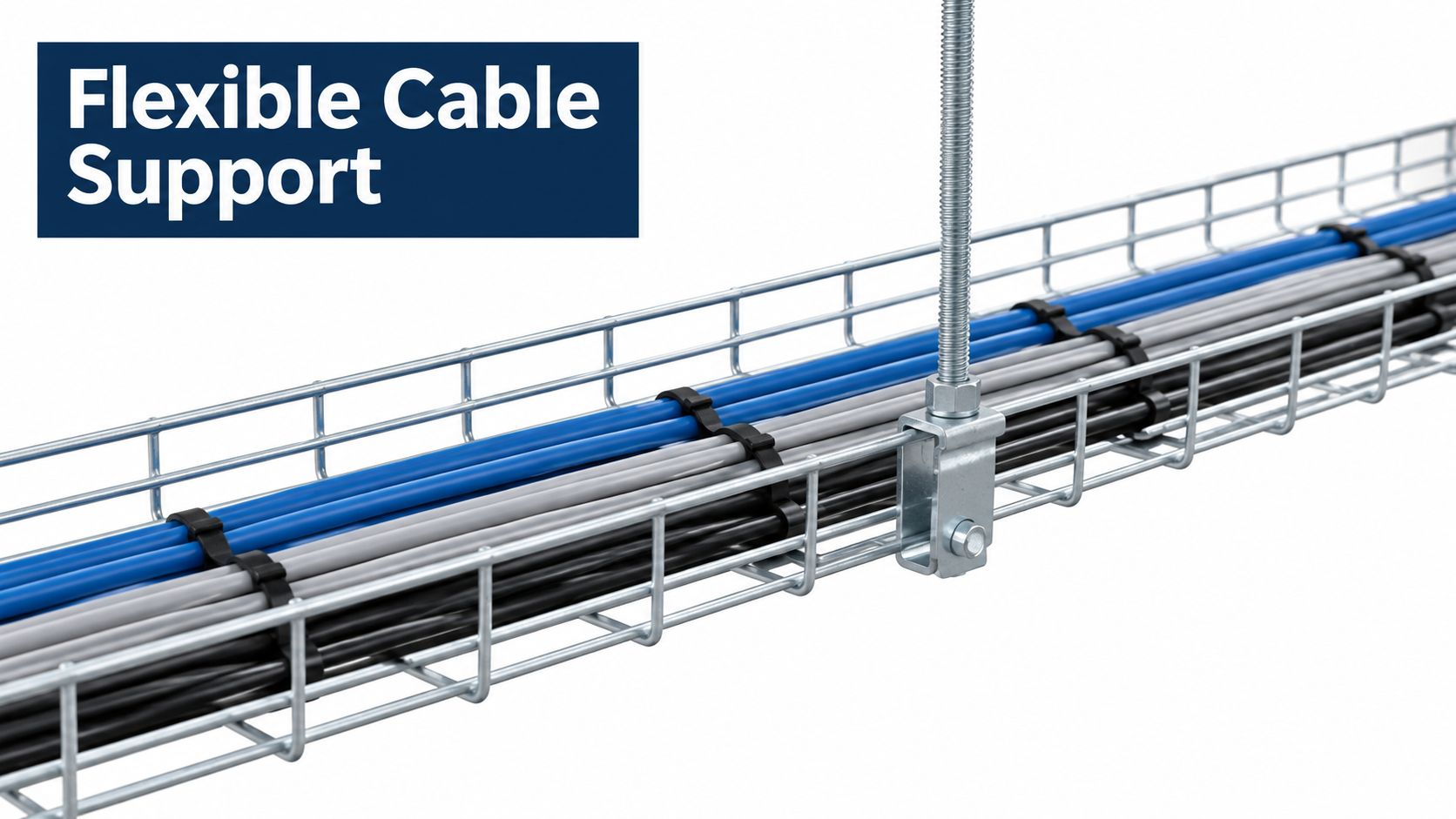
On a motor-control-center retrofit, the communications route often has to thread around existing steel while staying accessible for the next change order. Wire mesh earns its place on that lighter control and network work, provided the selected system supports the cable count and route geometry.
The open grid gives installers visibility and airflow, which helps where drive-monitoring and Ethernet runs sit near warm cabinets. Visibility tells you nothing about capacity. Don't approve a heavy VFD motor-cable addition because a basket looks substantial or has unused width; the same openness that simplifies pulling cable also exposes conductors to falling debris, oil mist, and careless additions that erode segregation over time.
Specify the rating, not the appearance
NEMA VE 1 classifies wire-mesh systems using load/span classifications, with common distributed-load classes of 50, 75, and 100 lb/ft. Confirm the class of the specific product you are buying, since a classification on a datasheet cannot be assumed for an unspecified basket.
Request tested capacity for the actual support spacing and installation temperature. Include cable weight, planned spare capacity, separators, restraints, and localized loads in the review. On drives with encoder or analog signal pairs, confirm the fill and separation plan as well, because an overloaded basket tends to become a mixed-service basket.
For a SCADA-room extension serving drive monitoring, make the handover requirements explicit:
- Cable support: Confirm that grid spacing, exits, and bends suit the installed cable.
- Field modifications: Require manufacturer-approved forming methods and accessories.
- Route discipline: Keep drive-power additions out unless the revised mechanical and electrical design permits them.
- Shutdown access: Leave labels and cable exits visible without moving unrelated bundles.
Basket tray earns its keep as a documented system. A neat installation still needs verified supports, appropriate cable restraint, and a segregation plan that survives the next controls upgrade.
5. Channel (Strut) Cable Tray
Cable channel and structural strut aren't interchangeable terms. A channel tray is a cable-support product; strut is often used to build the framework supporting trays, conduits, or equipment. Procurement should identify which function is required rather than accepting a generic channel description.
On a proposed pump skid, a compact channel route may suit auxiliary wiring approaching the VFD cabinet. Strut framing may support that route and nearby conduit, but the frame's presence doesn't establish that loose cables can be laid directly into any available structural channel.
Keep the installation boundary clear
Ask the supplier to identify the cable-bearing component, its approved accessories, and the support arrangement. Then check the transition into the cabinet, where an otherwise tidy branch route can become difficult to inspect or modify.
For packaging machinery or water-treatment equipment, prioritize details that maintenance technicians can preserve after the original installer leaves:
- Defined duty: State whether the assembly supports cables, conduit, equipment, or a combination.
- Verified connections: Specify fittings, tightening requirements, and inspection access for the installed environment.
- Suitable finish: Match the channel, cut edges, brackets, and fasteners to the site exposure.
- Recorded routes: Show supports and cable-service assignments on the as-built drawings.
Don't use a small auxiliary support as the default answer for heavy shielded motor cables. Return that change to engineering and verify the full load path.
A compact route is useful only if technicians can disconnect and replace its cables without disturbing unrelated equipment. At the cabinet approach, reserve working space for identification, termination inspection, and later cable removal rather than using every available gap.
6. Cantilever Cable Tray
In a cable gallery serving a large drive room, floor clearance may matter as much as tray width. Wall-mounted cantilever arms can provide a support arrangement without placing legs in the access route. The arms support the tray system; they don't define its cable-bearing geometry.
For a proposed steel-mill feeder route, the designer might place power and control trays on separate levels. That arrangement still requires checks of arm capacity, anchors, supporting structure, cable access, and the loading imposed at bends and drops.
Check the complete load path
IEC 61537:2023 system requirements revised safe-working-load procedures and introduced or revised testing for support arrangements including cantilevers, pendants, and trapeze supports. The practical implication is straightforward: a tray rating alone doesn't approve the bracket-and-anchor installation.
Before construction, obtain a coordinated design for the tray, arms, fixings, and building interface. Include future additions explicitly instead of leaving maintenance staff to infer available capacity from empty space.
- Allocate levels: Identify the services assigned to each route and maintain segregation through transitions.
- Verify structure: Refer anchor design, structural capacity, and applicable seismic requirements to qualified engineering personnel.
- Enable inspection: Leave brackets, anchors, and connections visible during shutdown checks.
Shutdown lesson: If technicians can inspect the cables but can't reach the anchors, the maintenance arrangement is incomplete.
The following video provides a visual reference for cable-support installation.
<iframe width="100%" style="aspect-ratio: 16 / 9;" src="https://www.youtube.com/embed/5ArN21AodBQ" frameborder="0" allow="autoplay; encrypted-media" allowfullscreen></iframe>Don't let an apparently generous support rack become an uncontrolled expansion area. Record approved loading and require review when future projects change the cable mix.
7. Aluminum Cable Tray
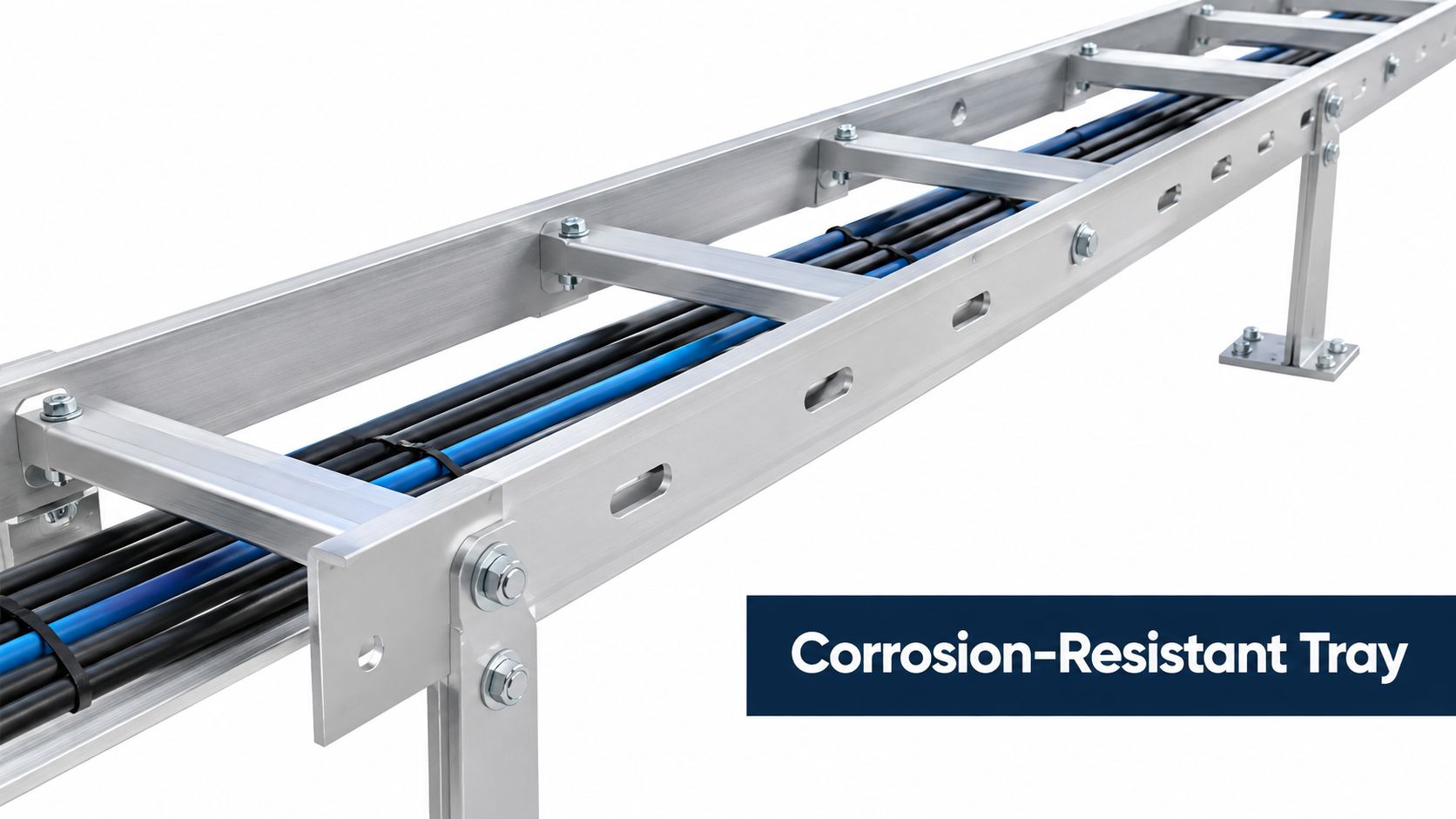
Aluminum is a material choice, not a separate tray geometry. Specify it together with the required ladder, trough, or solid-bottom construction, then assess the complete installed system.
For a coastal pumping facility, aluminum may belong on the shortlist alongside suitably finished steel, stainless steel, or FRP. The decision should start with atmospheric exposure, contaminants, maintenance practices, and manufacturer compatibility information, not a blanket rule that one material is always best near salt.
Compare lifecycle risk before purchase price
The corrosion-selection engineering guidance describes environments up to C5, including severe industrial humidity, aggressive atmospheres, and high pollution. It emphasizes matching the finish to actual site conditions rather than selecting from tray shape alone.
Ask suppliers to justify the proposed material and finish against the exposure. Apply the same scrutiny to stainless steel and FRP alternatives, including mechanical loading, fire and thermal requirements, repairability, and the grounding design.
- Check interfaces: Obtain approved fastener and isolation details where dissimilar materials meet.
- Verify capacity: Use tested load and span data for the exact aluminum assembly.
- Document bonding: Specify connection preparation, hardware, and inspection requirements.
- Plan replacement: Identify how damaged sections can be exchanged during a shutdown.
For teams reviewing DUCHENG Industrial's aluminum-industry context, distinguish the production environment from the tray specification. An aluminum-processing site doesn't automatically require aluminum trays, just as a coastal location doesn't establish suitability without exposure and system checks.
7 Cable Tray Types Comparison Guide
| Cable Tray Type | Implementation Complexity | Relative Resource Requirements | Expected Outcome | Ideal Use Cases | Key Advantage |
|---|---|---|---|---|---|
| Ladder | Low to moderate; standard fittings and bonding required | Moderate support needs; suitable for heavy cables with rated spans | High airflow and easy cable access; limited debris protection | Power feeders and VFD motor cables in industrial facilities | Excellent heat dissipation and inspection access |
| Ventilated Trough | Moderate; dividers or covers may be needed | Moderate support needs; check power-cable derating | Balances cable retention, protection, and airflow | Control, instrumentation, and mixed-cable routes | Better retention than ladder with useful ventilation |
| Solid Bottom | Moderate; bonding, drainage, and thermal review are important | Heavier construction; power cables may require derating | Strong shielding from debris and contamination; reduced airflow | Sensitive control or communication cables and washdown areas | Maximum cable protection and improved EMI containment |
| Wire Mesh (Basket) | Low; quick assembly with minimal tools | Lightweight; lower load capacity than heavy-duty tray | Fast, flexible routing with good airflow; small cables need securing | Data centers, control rooms, and retrofit work | Rapid installation and easy route modification |
| Channel (Strut) | Low to moderate; modular assembly and secure fittings required | Light-duty by default; engineered support needed for heavier loads | Adaptable support for small bundles, conduit, and equipment | Auxiliary routes near VFDs, panels, and equipment skids | Flexible configuration in tight or irregular spaces |
| Cantilever | High; structural, load, and seismic design required | Heavy-duty arms and strong structural anchors | Carries heavy cable loads while keeping floor space clear | Substations, cable galleries, and large industrial facilities | High load capacity with open access and clear walkways |
| Aluminum | Moderate; compatible fasteners, bonding, and support spacing must be planned | Lightweight; may need closer supports and higher material budget | Corrosion-resistant, lower-weight system available in multiple tray forms | Coastal, offshore, and chemically aggressive sites | Lower weight and strong corrosion resistance |
Matching Cable Tray Type to Your VFD Installation
Select the route as a complete installation, not as a tray catalog entry. A practical VFD project may use ladder for the power backbone, ventilated trough for controls, and basket near monitoring equipment. The engineering work lies in verifying each section and preserving the design intent at their interfaces.
Start with the cable schedule and walk the route with electrical, automation, and maintenance personnel. Mark contamination sources, cabinet approaches, crossings, vertical transitions, and locations where technicians will need access during a shutdown.
Use the following selection checklist before releasing procurement:
- Environment: Record moisture, salt, chemical exposure, process dust, cleaning methods, and temperature. Require a material-and-finish justification covering supports and fasteners as well as trays.
- Load: Verify cable weight, fittings, accessories, future capacity, and localized loads against tested product data at the proposed support spacing.
- Segregation: Identify VFD input, output, control, instrumentation, and communications routes. Resolve barriers, crossings, shield terminations, and bonding before installation.
- Code requirements: Confirm the governing electrical rules, cable ampacity basis, permitted fill, protective-earthing arrangement, and project fire-performance requirements.
- Shutdown plans: Check whether technicians can remove covers, inspect connections, clean deposits, and replace cables within the available work area and outage scope.
Don't accept a standards reference as proof of every required performance characteristic. As noted earlier, basic tray compliance doesn't establish fire-resistance performance for an entire installed assembly. Procurement and handover documents should identify what has been tested and what remains a project-specific verification.
At commissioning, compare the completed route with the approved drawings. Record deviations, complete the specified bonding and electrical checks, and establish inspection points for future maintenance. A properly selected cable tray type supports long-term VFD reliability only when installers and maintenance teams preserve the loading, segregation, and environmental assumptions behind it.
For drive rooms across China and Southeast Asia, DUCHENG Industrial's lifecycle support connects commissioning, troubleshooting, preventive maintenance, repair, and on-site reconditioning. Coordinate cable-route concerns with that broader drive assessment so the shutdown scope addresses the installation around the drive, not just the cabinet itself.
DUCHENG Industrial offers multi-brand VFD commissioning, maintenance, troubleshooting, repair, and on-site reconditioning for industrial facilities. Bring your cable schedule, route drawings, contamination concerns, and shutdown constraints to DUCHENG Industrial to discuss lifecycle support that considers both the drive assets and their installation conditions.